If you already deployed the packaging sample B, you can run the application by clicking here.
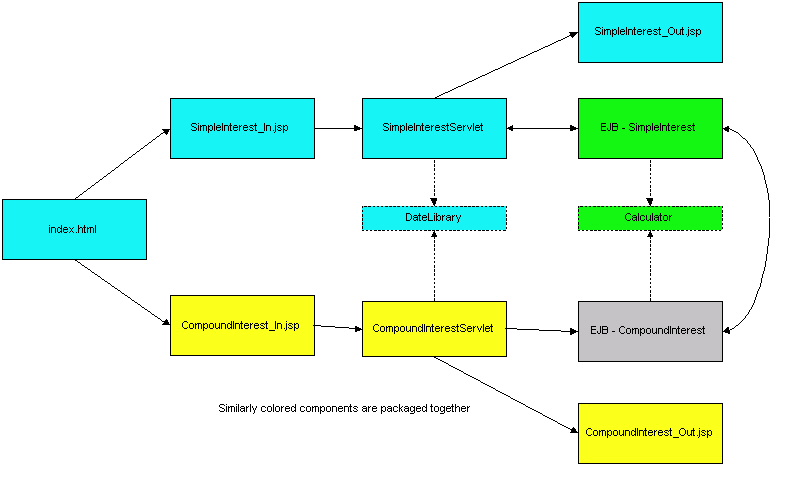
This samples illustrates functional isolation of modules. A single EAR file (pkgingB.ear) contains two EJB JAR files (pkgingBEJB1.jar and pkgingBEJB2.jar) and two WAR files (pkgingBWAR1.war and pkgingBWAR2.war)
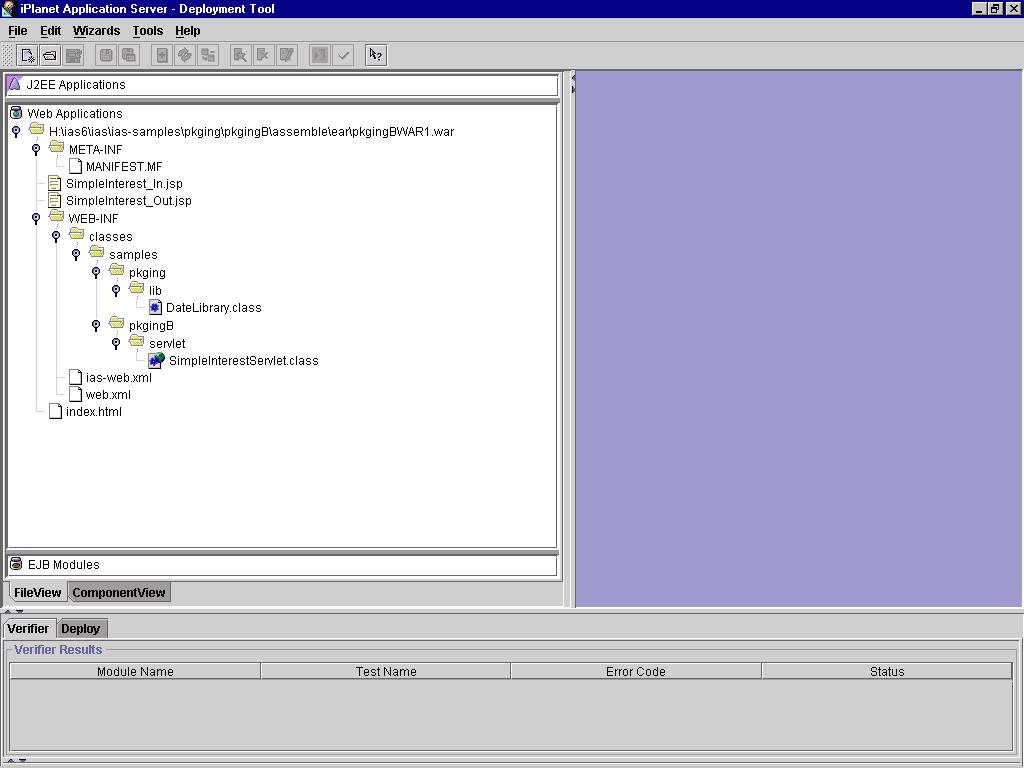
The Simple Interest and Compound Interest web components are divided into separate WAR files (except for the shared static index.html which is arbitrarily included in pkgingBWAR1.war). The two WAR files communicate with each other (specifically index.html from WAR1 accesses CompoundInterest_In.jsp from WAR2). This sample also demonstrates session sharing across WAR modules. SimpleInterest_Out.jsp and CompoundInterest_Out.jsp display the current contents of the session. The session stores the latest values (if any) entered on the forms SimpleInterest_In.jsp and CompoundInterest_In.jsp. This separation of components also demonstrates that shared libraries (DateLibrary.class in this case) need to be included in only one of the modules of the EAR file. In this sample, the common library is included in pkgingBWAR1(see fileview of pkgingBWAR1). Including the common library class in more than one does not make a difference as the classloader will, at any one time, load only one copy of the class .
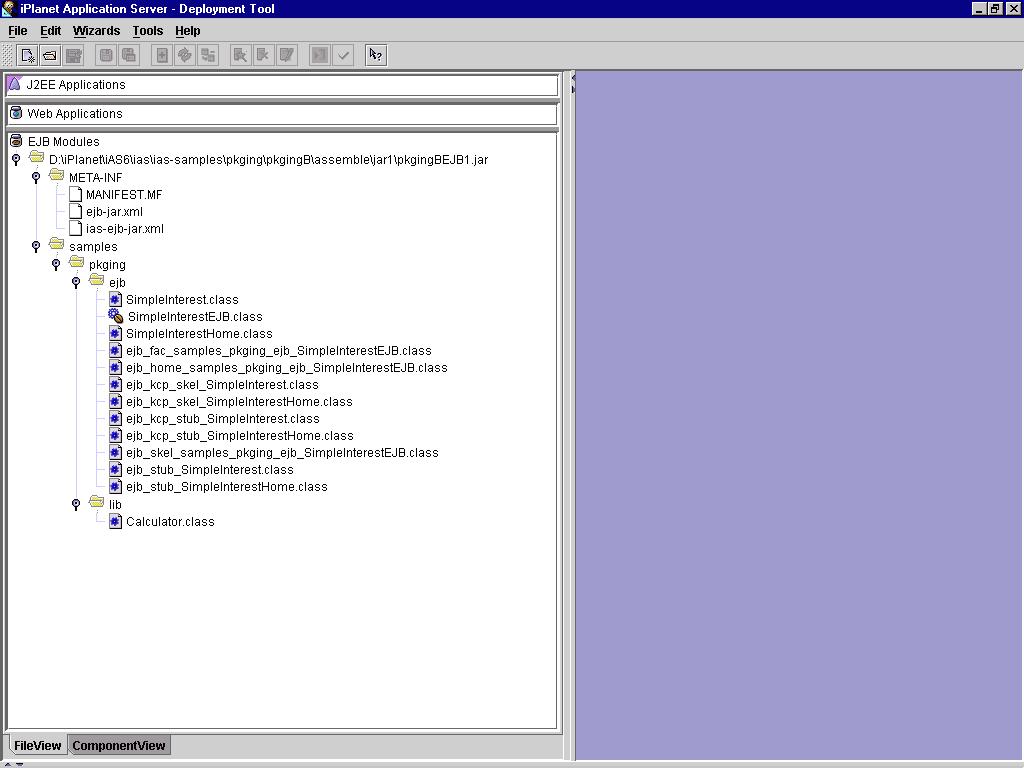
The SimpleInterest and the CompoundInterest EJB components are packaged in separate EJB JAR files. This approach demonstrates cross EJB JAR invocation in an EAR file. This separation of components also demonstrates that shared libraries (Calculator.class in this case) need to be included in only one of the modules of the EAR file. In this sample, it is included in pkgingBEJB1(see fileview of pkgingBEJB1). Including the common library class in more than one does not make a difference as the classloader will, at any one time, load only one copy of the class .
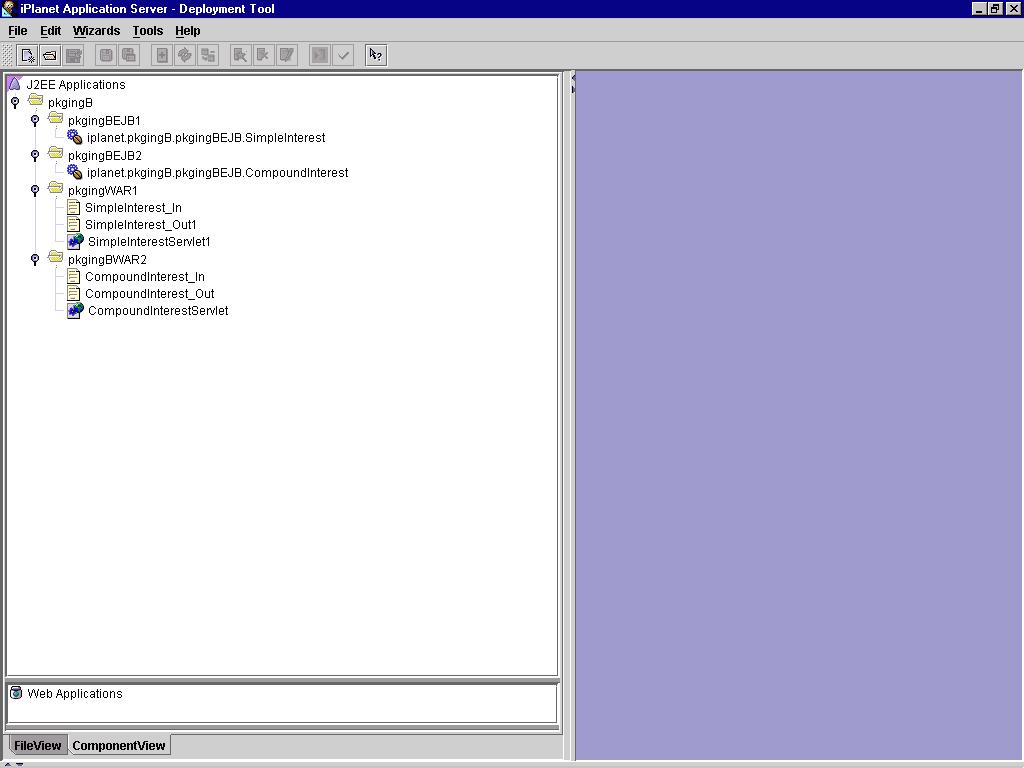
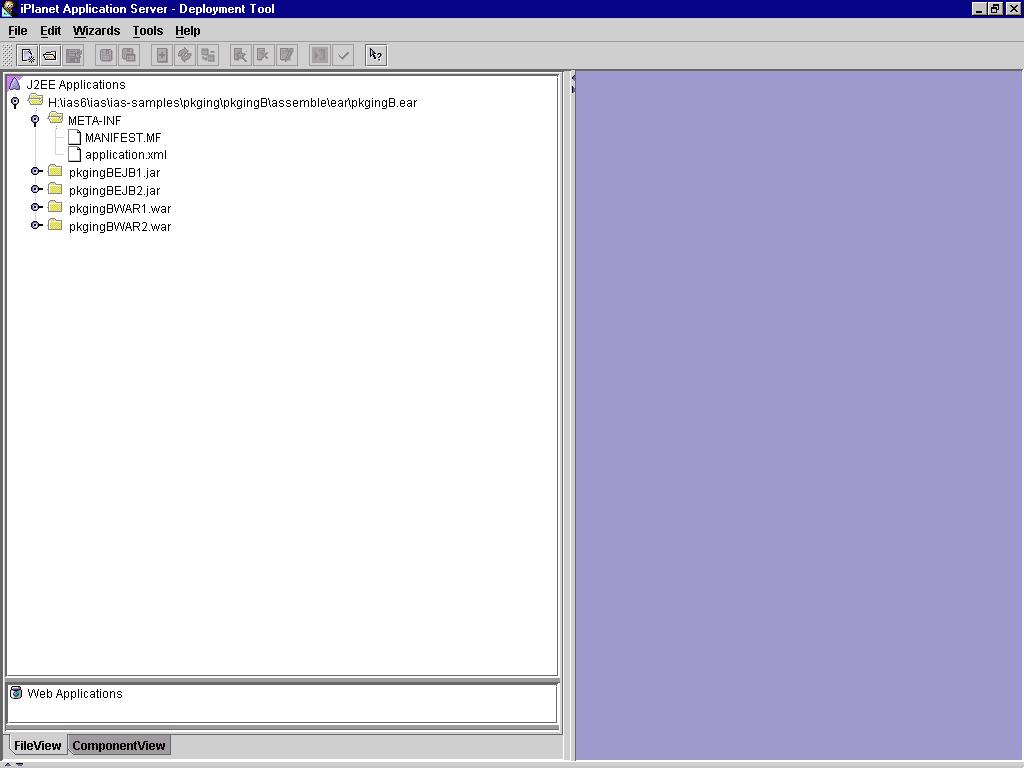
The component view of the final application (pkgingB.ear) shows the contents - pkgingBWAR1.war, pkgingBWAR2.war, pkgingBEJB1.jar and pkgingBEJB2.jar. The file view for the app pkgingB is shown here.
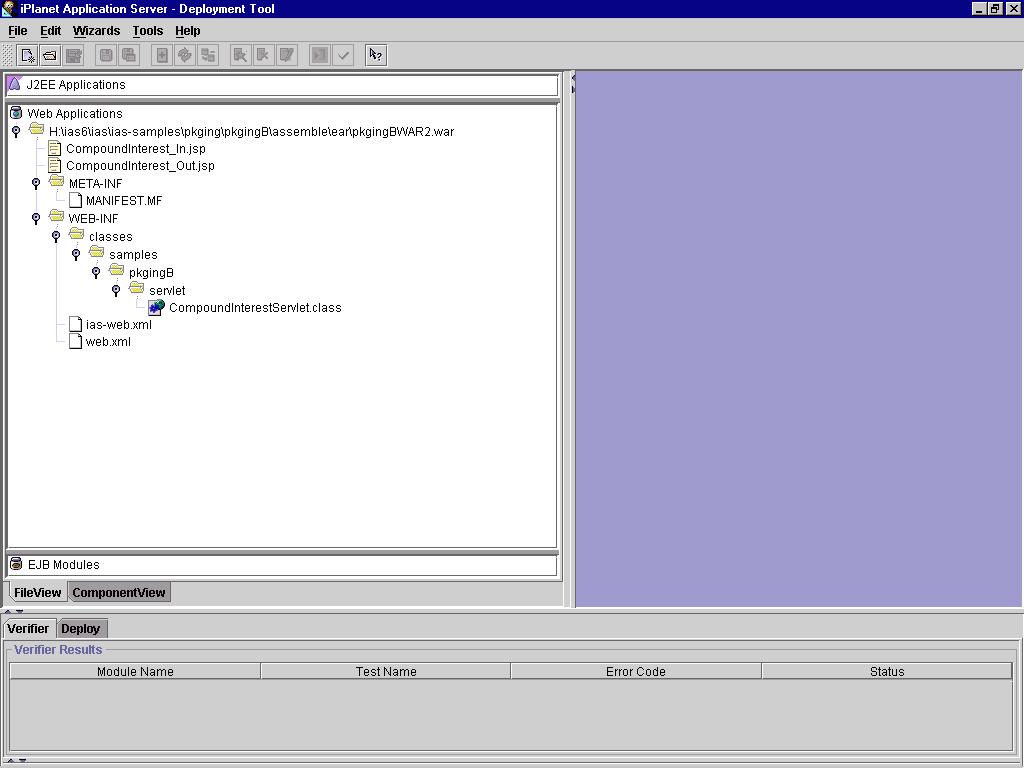
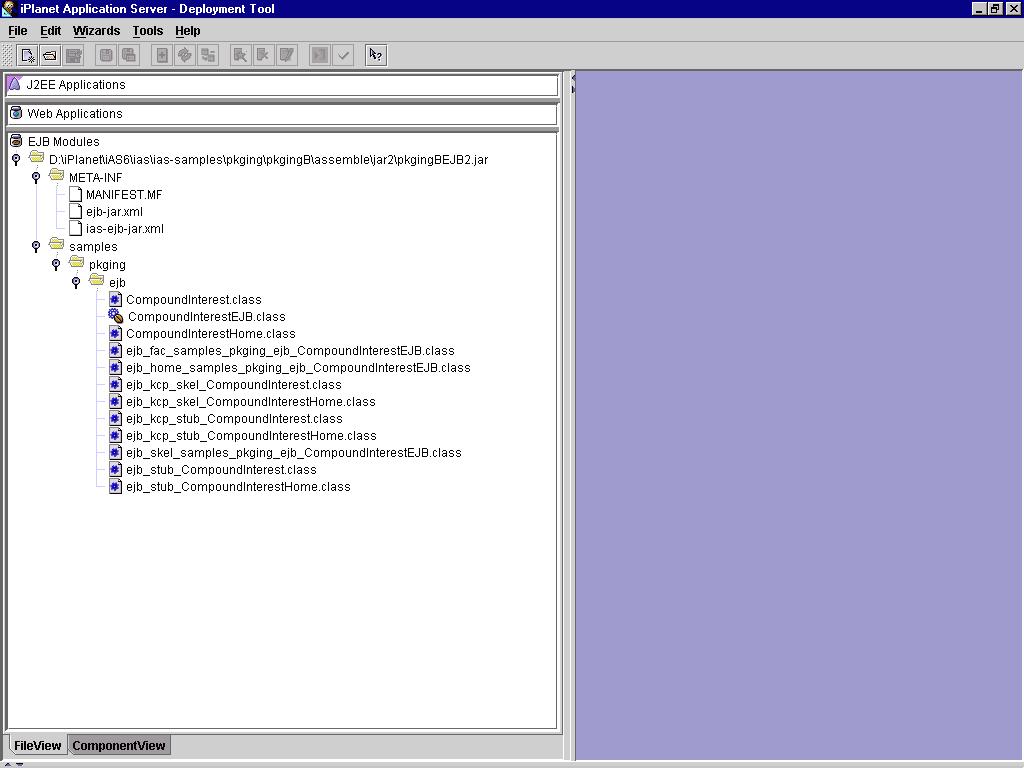
File Views for : pkgingBWAR1.war,
pkgingBWAR2.war,
pkgingBEJB1.jar,
pkgingBEJB2.jar,
pkgingB.ear
Component View for all modules.
The following concepts are illustrated in this sample:
Assembling the Application
install_dir/ias/ias-samples/pkging/pkgingB/assemble/ear/pkgingB.ear
Navigate to the directory containing the application's EAR file and run the iasdeploy command:
iasdeploy deployapp pkgingB.ear
This command deploys the application to the local machine.
Run the application by accessing the following link:
http://<hostname>:<port>/NASApp/pkgingB1/index.html
Choose either "Simple Interest" or "Compound Interest". Enter the values on the input form and press "Submit". Once data is entered on the forms, it is stored in session to be reused. Also, all the contents of the session are dumped out on the page to demonstrate session sharing.
If you encounter problems when running the application, review the General Troubleshooting section to learn how to view logs files.Copyright
(c) 2001 Sun Microsystems, Inc. All rights reserved.